Why Was My Online Payment Declined? 7 Common Reasons
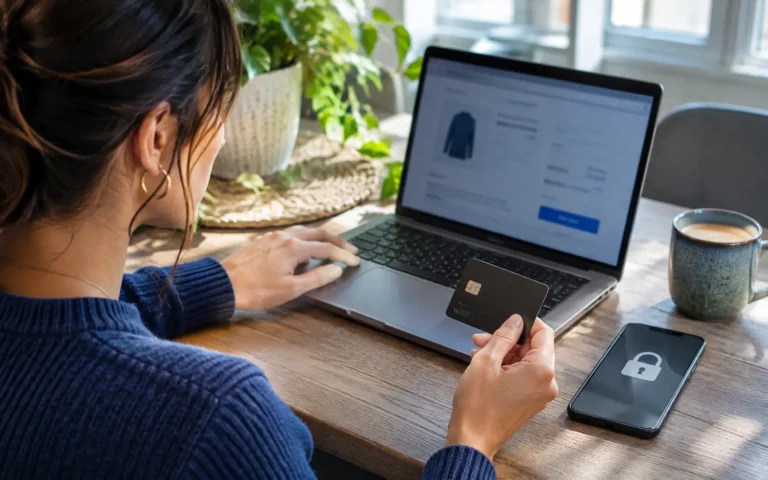
You find a product you want, add it to your shopping basket, enter your payment details, and click the checkout button. But instead of receiving an order confirmation, a message appears: “Payment Declined.”
It can be frustrating, especially when you believe your card has enough money available or you have successfully used the same payment method before.
An online payment declined message does not necessarily mean something is wrong with your bank account. Payments can fail for several reasons, including incorrect card details, security restrictions, insufficient funds, or temporary technical problems.
Understanding what caused the issue can help you decide what to do next without putting your financial information at risk.
This guide explains seven common reasons online payments are declined, how to troubleshoot them, and when you should contact your financial institution.
What Does “Online Payment Declined” Mean?
An online payment decline occurs when a transaction cannot be successfully authorized or completed.
When you make an online purchase, the merchant typically sends payment information through a payment processor and relevant financial networks.
The card issuer may approve or reject the authorization request.
In other situations, a payment gateway, merchant security system, or authentication process may prevent the transaction from completing.
According to Stripe’s payment documentation, common causes of declined card transactions include insufficient funds, inaccurate payment information, suspected fraud, and authentication problems.
Importantly, the error message displayed at checkout may not reveal the exact reason.
Some issuers return general decline responses rather than detailed explanations.
1. Insufficient Funds or Available Credit
One of the most common reasons for a declined online payment is insufficient available funds.
With a debit card, you may not have enough money in the linked account to cover the transaction.
With a credit card, the purchase may exceed your remaining available credit.
Why Can This Happen When Your Balance Looks Sufficient?
Your available balance may differ from your displayed account balance.
Pending transactions, temporary authorizations, account restrictions, or previously scheduled payments can affect the amount available.
For international purchases, currency conversion and additional charges may also influence the final payment amount.
How to Fix It
Check your available balance or credit limit through your official banking application.
Review pending transactions and confirm the total purchase amount, including shipping and applicable fees.
If insufficient funds caused the decline, consider waiting until funds are available or using another payment method you can afford.
Avoid increasing debt simply to complete a non-essential purchase.
2. Incorrect or Outdated Card Information
A small typing error can prevent an online payment from being approved.
Common problems include an incorrect card number, expiration date, or security code.
Saved payment credentials may also become outdated after a card expires or is replaced.
How to Fix It
Carefully review the payment information entered at checkout.
Check that the card number, expiration date, and security code match the credentials provided by your issuer.
If the retailer has stored an old card, update the payment method using its official checkout interface.
Some transactions also involve billing address verification, depending on the merchant and issuing bank.
Never send full card details or security codes to a retailer through email or an unsolicited message.
3. Your Bank Blocked the Transaction for Security Reasons
Financial institutions monitor transactions for unusual activity.
A payment may be blocked if it appears inconsistent with your normal purchasing behavior.
For example, an unfamiliar overseas merchant, an unusually large purchase, or several rapid transaction attempts may trigger additional security checks.
Mastercard explains that banks sometimes decline transactions as part of measures designed to reduce fraud.
How to Fix It
Check your banking application for a security notification.
Your provider may ask you to confirm whether you attempted the purchase.
If no explanation is available, contact the card issuer using an official support channel.
Do not automatically approve a security notification unless you recognize the merchant, amount, and transaction.
If you suspect someone else is attempting to use your card, report the activity immediately.
4. Online or International Payments Are Restricted
Some financial institutions allow customers to control where and how their cards can be used.
Depending on the provider, a card may have restrictions on:
- Online purchases.
- International transactions.
- Particular merchant categories.
- Recurring subscriptions.
- Contactless or card-not-present transactions.
- Daily or per-transaction spending limits.
These restrictions may prevent a legitimate online purchase.
How to Fix It
Open your official banking application and review the available card controls.
If the card is locked or disabled for online transactions, follow the issuer’s instructions before attempting another payment.
For international purchases, confirm whether cross-border payments are supported.
Be aware that enabling international transactions may expose you to currency conversion fees and other charges.
5. Additional Payment Authentication Was Not Completed
Some online payments require an extra verification step to confirm that the person making the purchase is authorized to use the card.
This may involve an app notification, one-time verification code, fingerprint, facial recognition, or another authentication method.
One widely used technology is EMV 3-D Secure, commonly called 3DS.
Visa explains that 3-D Secure helps merchants and card issuers verify customers during certain online transactions.
Why Authentication Can Fail
A payment may be declined if:
- The verification code expires.
- A banking notification is not approved.
- The customer closes the authentication screen.
- The verification request is rejected.
- The device cannot complete the required security process.
How to Fix It
Check whether your banking application has a pending verification request.
Ensure your device can receive necessary notifications and that your authentication method is working.
If the verification expires, begin a fresh checkout only after confirming the original transaction did not complete.
Never share verification codes with anyone contacting you unexpectedly.
6. Your Card Is Expired, Frozen, or Inactive
A card that has expired or been deactivated may be rejected during checkout.
The same can happen when a financial institution freezes a card after suspicious activity or a reported loss.
Some digital and virtual cards also have usage limits or temporary validity periods.
How to Fix It
Check your card’s expiration date and status.
If the card has expired, use the replacement issued by your bank.
If it is temporarily frozen, check whether the restriction can be managed through your official banking application.
If the card was blocked because of suspected fraud, contact the issuer rather than attempting to bypass the restriction.
Do not use card credentials that have been reported lost, stolen, or compromised.
7. A Temporary Technical Problem Interrupted the Payment
Not every failed payment is caused by the customer’s card.
Sometimes a website, payment processor, banking system, or communication network experiences a technical problem.
Stripe identifies issuer outages and payment processing problems among the factors that can contribute to failed authorizations.
A temporary interruption may prevent the transaction from completing even when the payment information is correct.
How to Fix It
First, check whether the merchant issued an order confirmation.
Then inspect your banking application to determine whether the transaction appears as pending or completed.
If the purchase was not processed, you can contact the retailer or payment provider to ask whether the service is experiencing difficulties.
Avoid clicking the payment button repeatedly.
Multiple attempts may generate additional pending authorizations or security checks.
Online Payment Declined: Quick Troubleshooting Guide
The following table summarizes common payment problems and appropriate next steps.
| Possible reason | What to check | Recommended action |
|---|---|---|
| Insufficient funds | Available balance or credit | Confirm funds and total cost |
| Incorrect card details | Card number and expiration | Correct information securely |
| Fraud prevention block | Bank notifications | Contact your issuer |
| Payment restrictions | Card settings | Review permitted transactions |
| Authentication failure | Verification request | Complete official authentication |
| Expired or frozen card | Card status | Use valid credentials or contact issuer |
| Technical error | Order and transaction status | Verify before retrying |
This comparison is intended as general guidance.
Your bank or payment provider may use different error messages and procedures.
Can a Declined Payment Still Appear on Your Bank Statement?
Yes. In some situations, an unsuccessful purchase attempt may leave a temporary authorization or pending transaction.
A pending authorization is not necessarily a completed charge.
Payment providers sometimes reserve funds while checking whether a transaction can proceed.
If the purchase is not completed, the authorization may be released according to the relevant financial institution’s procedures.
The time required varies between providers and transaction types.
Example
Imagine attempting to purchase an item worth 150 currency units.
Your checkout displays a failure message, but your banking application shows a pending amount of 150.
This does not automatically mean the merchant received the money.
Before attempting the purchase again, verify the order status and contact your bank or retailer if the situation remains unclear.
If the transaction becomes a completed charge without an associated purchase, you may need to request a correction or initiate the applicable dispute procedure.
What Should You Do if Your Payment Keeps Getting Declined?
Repeated declines can indicate an unresolved problem.
Rather than continuing to submit the same payment details, follow a structured process.
Step 1: Stop retrying temporarily and confirm that no order was completed.
Step 2: Review the available balance, payment limits, and card status.
Step 3: Verify the card details and any required authentication.
Step 4: Check whether the merchant accepts your card type and issuing country.
Step 5: Contact your card issuer if the problem continues.
Step 6: Ask the retailer whether it has identified a payment processing issue.
Step 7: Consider another legitimate payment method if appropriate.
An alternative payment method should still fit your budget and offer suitable consumer protections.
Is It Safe to Try Another Payment Method?
Using a different card or supported digital wallet may solve certain payment problems.
For example, a retailer may accept one payment network but not another.
However, switching payment methods should not be used to bypass a suspected fraud alert or financial restriction without understanding the reason.
Before trying again, confirm that the original payment has not been completed.
If the retailer is unfamiliar, investigate its legitimacy before providing additional payment information.
A payment failure is also an opportunity to review whether the website itself appears trustworthy.
Look for clear contact information, legitimate policies, and reliable independent feedback.
How to Prevent Online Payment Declines
Although some declines cannot be prevented, several habits may reduce common problems.
Keep Your Card Information Updated
Replace expired card details stored with legitimate retailers and subscription services.
Monitor Available Funds
Check your balance or credit availability before making significant purchases.
Enable Banking Notifications
Transaction alerts can help you respond to genuine authentication requests and identify suspicious activity.
Review International Payment Settings
Before shopping abroad, confirm that your card permits transactions in the relevant country or currency.
Maintain Secure Account Access
Use strong passwords, official financial applications, and available multifactor authentication.
Avoid Unnecessary Payment Attempts
If a transaction fails repeatedly, contact your provider instead of submitting the same request again and again.
These precautions may reduce avoidable failures, but they cannot guarantee every transaction will be approved.
Important Considerations
An online payment decline does not always indicate insufficient money or poor financial standing.
Financial institutions use different authorization systems, security checks, card controls, and transaction rules.
A merchant may also decline a payment because it cannot accept a particular card, currency, or transaction type.
Consumer rights and payment dispute procedures differ internationally.
If you believe a payment was incorrectly charged or unauthorized, contact your financial institution promptly and retain relevant transaction records.
Never follow unsolicited links requesting your card PIN, password, or verification code to “unlock” a declined payment.
Use official banking channels to investigate the issue.
Frequently Asked Questions (FAQ)
Why was my online payment declined even though I have money?
Possible reasons include pending authorizations, spending restrictions, incorrect card information, authentication failures, or a fraud prevention block.
Can a bank decline an online payment for security reasons?
Yes. Financial institutions may reject transactions that appear suspicious or require additional verification.
How do I fix a declined debit card payment?
Check your available funds, card status, transaction restrictions, and payment information. Contact your bank if the issue remains unresolved.
Why does my card work in stores but not online?
Online payments may have separate security requirements, spending limits, or restrictions that do not apply to in-person transactions.
Can a declined payment still take money from my account?
A temporary authorization may appear after an unsuccessful attempt. A pending transaction is not necessarily a completed charge.
Should I keep trying if my payment fails?
Avoid repeated attempts until you understand the cause. Check the order and transaction status before trying again.
Can international purchases cause card declines?
Yes. Some issuers restrict international transactions or require additional verification for cross-border payments.
Who should I contact when my card is declined?
Your card issuer is generally the best starting point for authorization questions. The merchant may also help identify checkout or processing issues.
Final Thoughts
An online payment declined message can be inconvenient, but it does not always mean something serious has happened.
Most payment problems fall into a few broad categories: insufficient available funds, inaccurate information, security restrictions, authentication issues, card status problems, or technical failures.
The safest approach is to verify the transaction status, review your payment information, and contact the appropriate provider when necessary.
Avoid repeated payment attempts and never disclose sensitive banking credentials to unfamiliar contacts.
Understanding why a payment failed can help you resolve the problem more safely and avoid unnecessary charges or financial risks.
Disclaimer
This article is provided for general educational and informational purposes only. It does not constitute personalized banking, financial, legal, cybersecurity, or payment processing advice.
Payment authorization procedures, banking regulations, refund timelines, card protections, and consumer rights differ between countries and financial institutions.
The examples presented are hypothetical and do not represent real customer transactions or guaranteed solutions.
For account-specific payment problems, contact your bank, card issuer, or payment service provider through official channels.
Last reviewed: November 14, 2026.